Fernwild 1.1.9: two weeks of sprites, silence and browser fixes
Two weeks building a small Godot game, including two days getting browser audio and the home-screen layout to behave. The final sound fix was a bus layout; the missing screen space needed viewport-fit=cover.
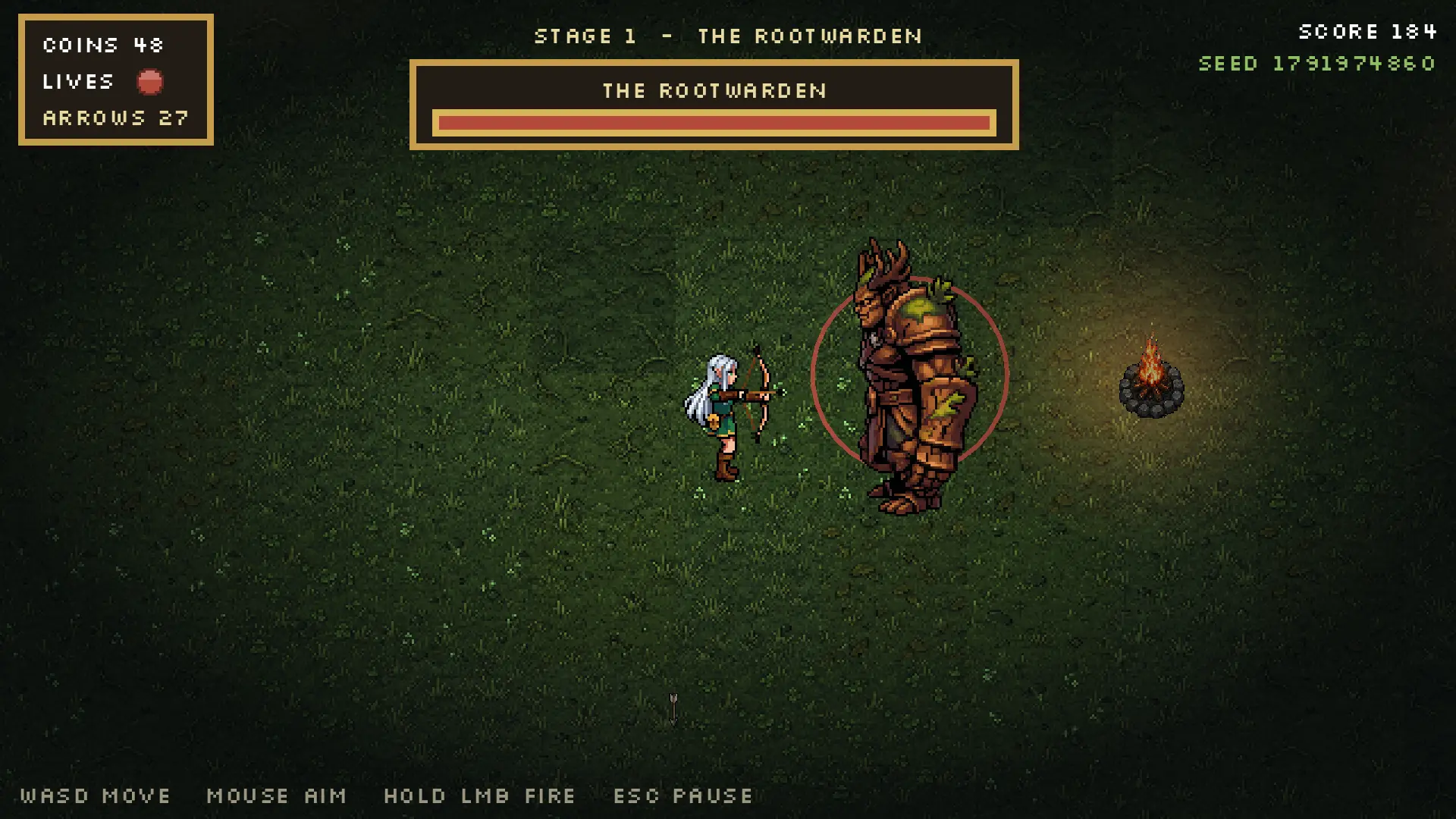
Fernwild is finally at 1.1.9. You play an elf with a bow, work through four stages, buy upgrades and try to keep enough arrows for the next room. I wanted to make a small game. I got the small game, plus a fairly thorough education in everything around it.
It took roughly two weeks. A lot of that went into getting the AI art to behave as animation. Then I spent about two days fighting sound in the browser and a home-screen version that refused to use the phone's screen properly.
The changelog starts on 13 October because I had not pushed the work for more than ten days. That is when the release history starts, not when I started making the game.
A sprite can load perfectly and still be wrong
Fern needs to face eight directions while walking, drawing a bow and releasing an arrow. A good still image only gets you part of the way there.
Some shooting clips aimed across her body while the arrow flew in another direction. Some cut off the bow or the end of the arrow. Others opened with several idle frames, so the projectile and its sound happened before she had even raised the bow.
There was also a shaman whose death animation was a solid black block. The file existed. Godot could load it. Both of those checks passed. Killing the shaman still produced a black square.
One attempted repair made Fern's face worse. Copying a clean eye into the same coordinates on every frame sounds sensible until her head moves. During the draw it moved by as much as six pixels. The replacement eye ended up on her cheek.
That pass was retired for the shooting clip. I regenerated the animation with clearer constraints on her face and hair, then measured the new frames again. When does the bow come up? Which frame releases the string? Where is the tip of the drawn arrow?
Those answers now drive the shot timing and the projectile's starting position. The sound fires from the same release call as the arrow. If the art changes, those measurements need to change with it.
AI art and music let me make this game, and the credited CC0 assets helped fill it out. They still needed inspection in motion. A sprite sheet with the right dimensions is a useful starting point, but the shot has to look right while somebody is playing.
Everything said the music was playing
The desktop game had sound. The web build did not.
The music player reported that it was playing. Its playback position advanced. The buses were unmuted. The browser's AudioContext was running. Looking at those values, I should have been listening to the title theme.
There were real browser problems to fix along the way. The iOS audio-session work initially went through JavaScriptBridge.eval. The deployed Content Security Policy refused ordinary JavaScript string evaluation, even though it allowed WebAssembly evaluation. The request never ran.
I moved the playback-session request into the page's own script, before the engine created its AudioContext. That removed the CSP errors and let the session report the requested state. It did not make the missing music arrive. The changes in 1.1.6 through 1.1.8 had not found the reason the whole web build was silent.
The decisive check was much smaller than the game: play the same 440 Hz tone through two differently created audio buses and measure the output.
| Where the tone played | Measured peak sample |
|---|---|
Bus created at runtime with AudioServer.add_bus() |
0.00000 |
| Bus defined in the bus layout | 0.42911 |
Fernwild created its Music and SFX buses at runtime. In this web build, they looked present and correctly configured, but their output never reached the destination. Every sound used one of them.
The 1.1.9 fix was to define both buses in default_bus_layout.tres, so they existed at startup. The game's volume sliders stayed the same. The title music then measured 0.070 and a button press 0.072, where both had measured zero.
Those are measurements from this build, not a claim about every Godot version or every audio setup. There is also a Godot issue discussing runtime bus insertion and broken web audio routing, including reports of using a predeclared layout to avoid runtime bus creation.
The part I will remember is how much could look healthy while producing silence. A moving playback clock told me that the player was progressing. Measuring the final output told me whether any sound was getting through.
The phone had more screen than the game was using
The home-screen version had its own problem. It looked boxed in, almost square, with a lot of usable screen doing nothing.
There were several layers to this. Whole-number scaling kept the pixels crisp on a desktop, but a phone window could be too small for 2x and fall back to a tiny 1x picture. Fractional scaling made the game larger. A fixed 16:9 view still left unused space on a wider landscape phone.
The game now keeps its design height and expands the horizontal view for wide screens. That shows more of the arena. Menus keep a centred content area, while the HUD and touch controls move towards the actual corners.
Then came the small setting I wish I had checked earlier:
<meta name="viewport"
      content="width=device-width, initial-scale=1.0, viewport-fit=cover">
Without viewport-fit=cover, iOS was giving the page a viewport narrowed to the safe area. The canvas could fill that viewport perfectly and still leave strips on either side. In the example I measured, 874 points of screen had become 750 points of layout width.
Asking for cover let the canvas reach the edges. The canvas also needed to stay pinned to the viewport after rotation. The game handles the HUD and thumb controls separately so that using the whole screen does not put a button under the notch. WebKit's explanation of viewport fitting and safe areas describes the distinction.
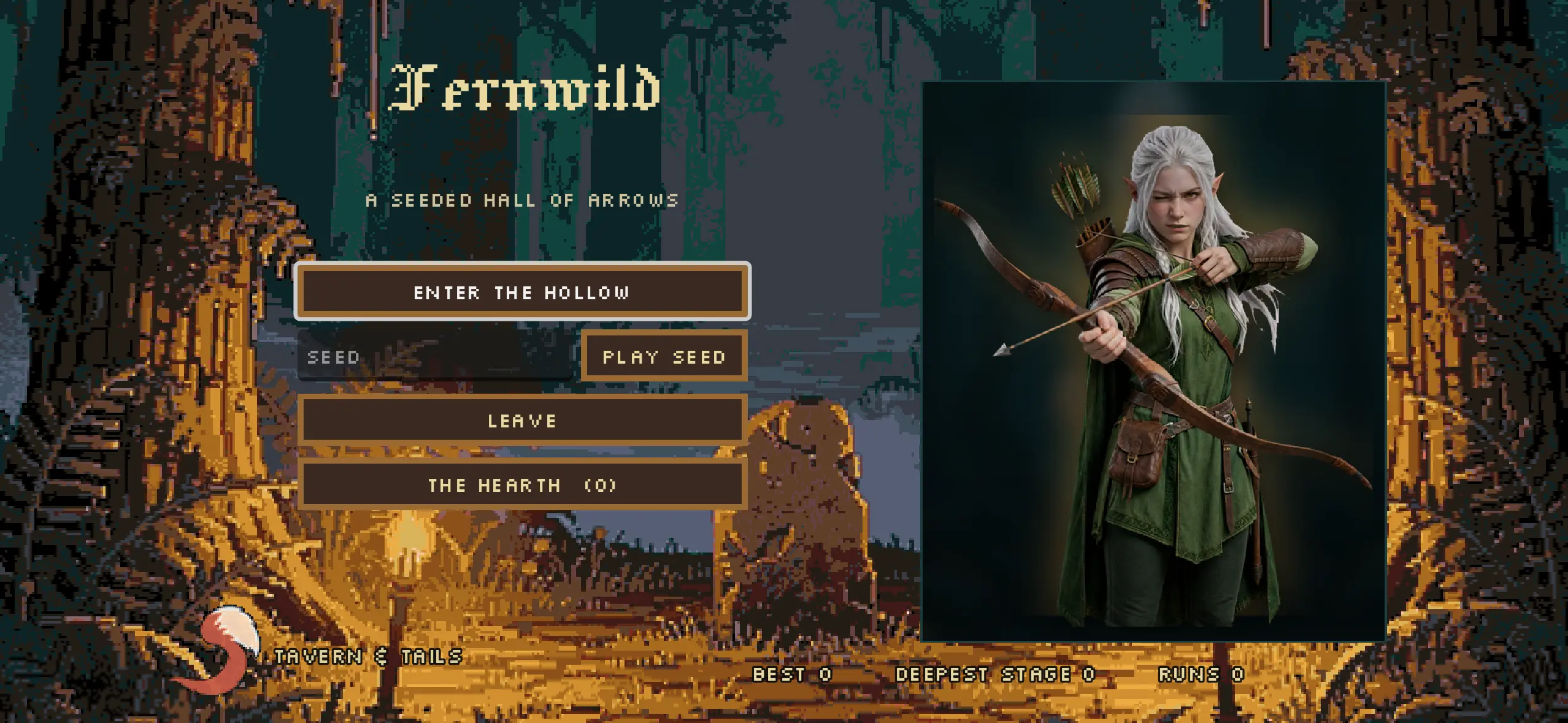
The landscape mobile layout. The artwork fills the wider view while the menu keeps a readable central area.
So yes, viewport-fit=cover was part of the answer after two days of this. It was a very small line to be that pleased about. The scaling, canvas sizing and control placement still had to agree with it.
Yesterday's files were still joining today's build
Caching made the phone problems harder to read. The host let the page refresh while keeping the game files cached for hours. That allowed new HTML to load an older game pack and older splash artwork.
At that point I was looking for a layout fix in a game pack that did not contain it.
The export packaging now puts the release version into the filenames and updates the page to match. The 1.1.9 page asks for its own JavaScript, WebAssembly, game pack and splash assets. An older cached file has a different name.
That gave me a consistent release to check. Without it, another round of tweaking the screen code could have changed nothing on the phone I was looking at.
Finally, back to the game
The useful part of 1.1.9 is that I can get back to judging Fernwild as a game: whether the bow feels right, whether a room is fair, and whether I can afford another life at the pedlar.
There are four stages, a boss at the end of each, and a Hearth where the embers from previous attempts buy a better start. It runs in the browser with keyboard, gamepad or touch controls. The art and music are AI-generated alongside credited CC0 assets; some sound effects are synthesised, and the credits record the sources.